Ejemplo 2
📖 Example 2 - Flow & HTML
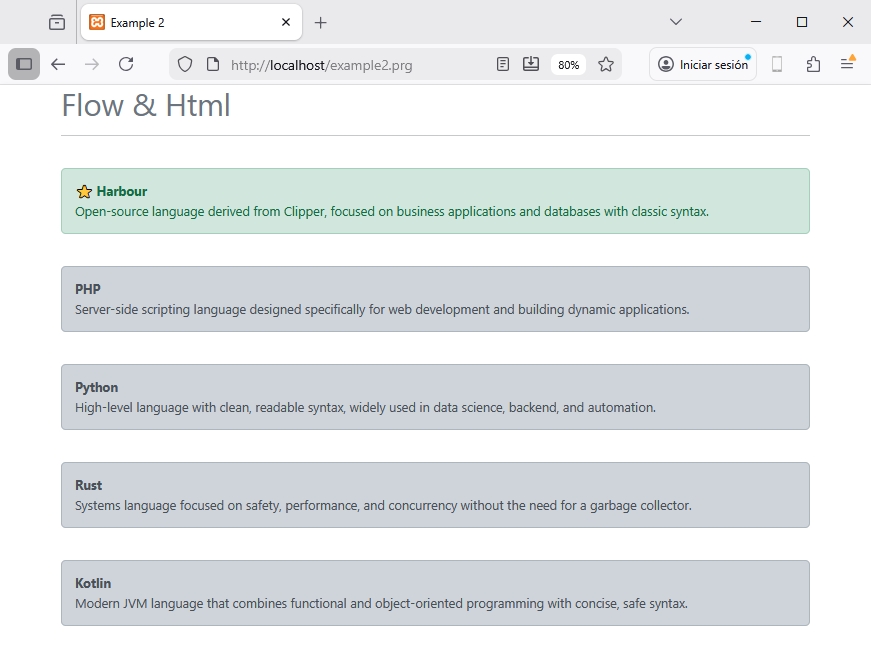
This example shows how to control the views flow using flow directives, like @if, @foreach, @for,...
Controller: example2.prg
function main()

    local aData := {;
        { "Harbour", "Open-source language derived from Clipper, focused on business applications and databases with classic syntax.", .T. },;
        { "PHP", "Server-side scripting language designed specifically for web development and building dynamic applications.", .F. },;
        { "Python", "High-level language with clean, readable syntax, widely used in data science, backend, and automation.", .F. },;
        { "Rust", "Systems language focused on safety, performance, and concurrency without the need for a garbage collector.", .F. },;
        { "Kotlin", "Modern JVM language that combines functional and object-oriented programming with concise, safe syntax.", .F. };
    }

return UView( 'example2.html', aData )
View: example2.html
@args mydata := {}

<!DOCTYPE html>
<html lang="es">
<head>
  <meta charset="UTF-8">
  <meta name="viewport" content="width=device-width, initial-scale=1.0">
  <title>Example 2</title>

  <link href="https://cdn.jsdelivr.net/npm/bootstrap@5.3.0-alpha1/dist/css/bootstrap.min.css" rel="stylesheet">

</head>
<body>

<div class="container">
    <h1 class="text-secondary">Flow & Html</h1>
    <hr>

    @for n := 1  to len( myData )

        <br>

        @if myData[n][3]

            <div class="alert alert-success" role="alert">
                <b>⭐ {{ myData[n][1]}}</b>
                <br>
                {{ myData[n][2] }}
            </div>

        @else

            <div class="alert alert-dark" role="alert">
                <b>{{ myData[n][1]}}</b>
                <br>
                {{ myData[n][2] }}
            </div>

        @endif

    @next

</div>

</body>
</html>
Result